Receive Notifications
Hoister can notify you of successful, failed and rolled back updates through a range of channels:
- Chat: Slack, Telegram, Discord (bot or webhook), Microsoft Teams, Mattermost, Rocket.Chat, Google Chat, Matrix
- Push: Gotify, ntfy, Pushover
- Other: Email (SMTP) and a generic JSON webhook
You can configure as many channels as you like — every configured dispatcher receives every event.
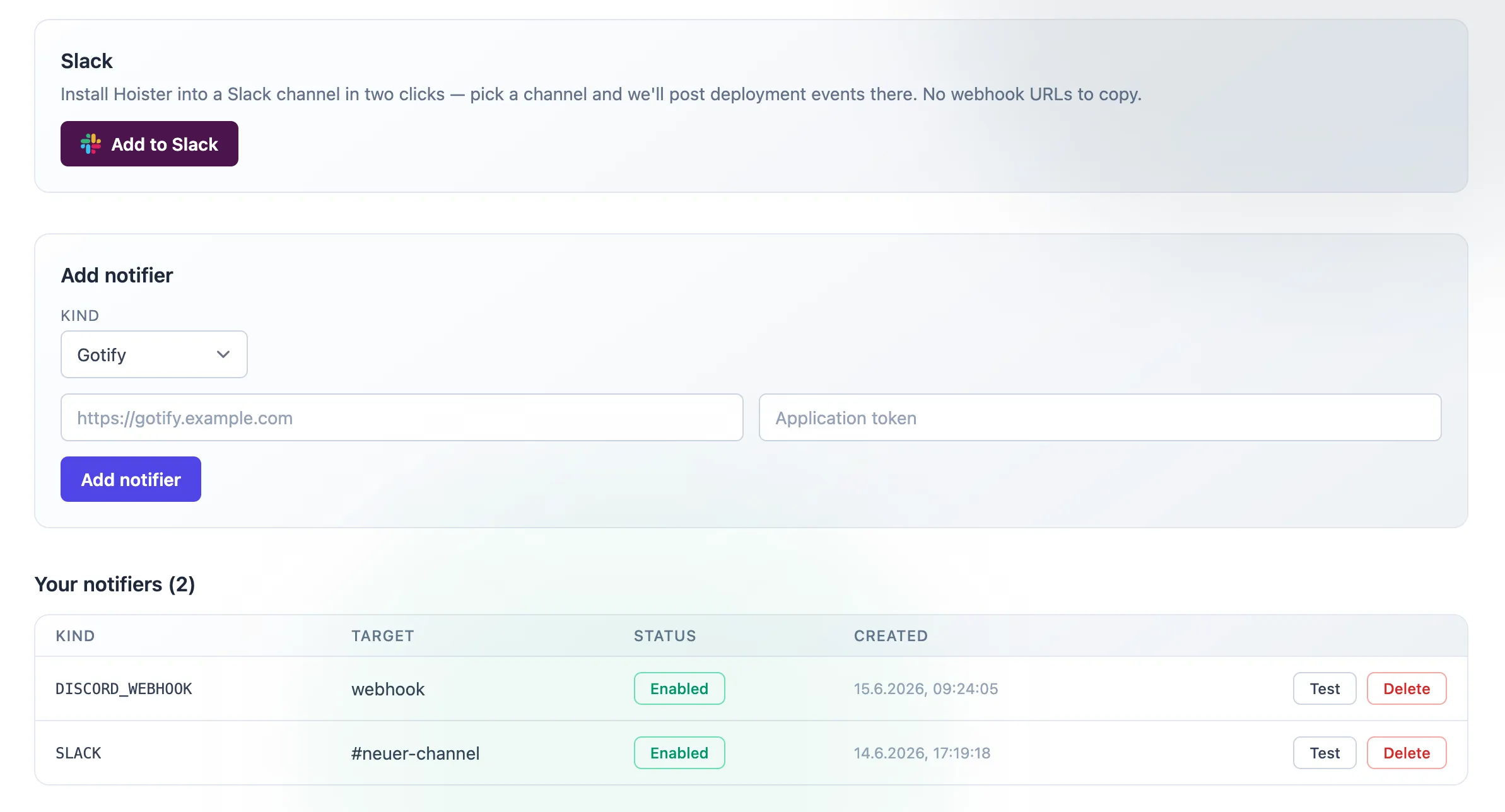
When using the cloud dashboard, notifiers can be added and tested directly from the Notifiers page — including a two-click Slack install.
Configuring dispatchers
Section titled “Configuring dispatchers”Notifiers are configured under [dispatcher.*] tables in your hoister.toml.
For example, to post to a Telegram chat and a Mattermost channel:
[dispatcher.telegram]token="123456789:qwertyuiopasdfghjkl"chat=123456789
[dispatcher.mattermost]webhook="https://mattermost.example.com/hooks/xxxxxxxxxxxxxxxxxxxxxxxxxx"
The exact fields for every channel are listed in the TOML configuration reference. Mount the file into the agent container as described there.