Metrics & log forwarding
When the agent is connected to a controller it can send two extra kinds of data for the dashboard: resource metrics and failure logs. Both are agent-wide settings — configure them in the TOML file or with environment variables.
Both features require a controller. Without one (standalone mode) there is nowhere to send the data and these settings have no effect.
Resource metrics
Section titled “Resource metrics”Hoister samples each container’s CPU and memory usage roughly once a minute and forwards it to the controller, which stores a 7-day history and renders CPU/memory graphs on the container detail page and a usage panel on the dashboard.
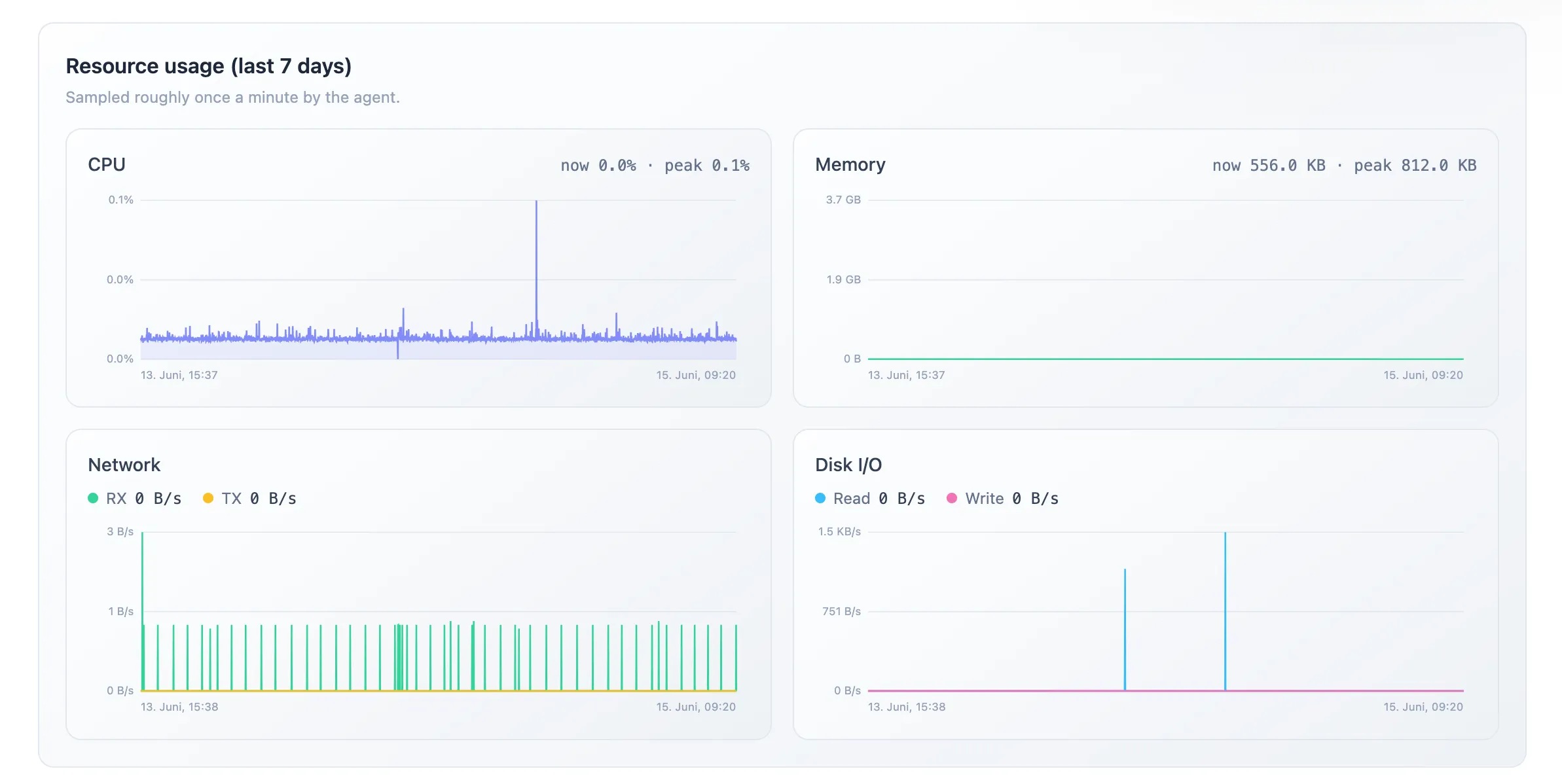
Metrics are enabled by default. To turn them off:
report_metrics = falseHOISTER_REPORT_METRICS=falseContainers labelled hoister.hide=true are never sampled. Disabling metrics removes
the per-minute docker stats call per container and stops resource data leaving the
host.
Log forwarding
Section titled “Log forwarding”When a container update fails and Hoister rolls back, it can capture the failed container’s log tail and attach it to the deployment record, so you can see why the rollback happened directly in the dashboard’s recent-deployments view. The agent also forwards a short log tail for containers it finds in a crashed/restarting state.
Log forwarding is disabled by default, because logs can contain secrets that Hoister’s keyword-based env-var redaction won’t catch. Enable it explicitly:
report_logs = trueHOISTER_REPORT_LOGS=trueSecret redaction
Section titled “Secret redaction”Before anything leaves the host, the agent scrubs sensitive data so it never reaches the controller:
- Environment variables whose key looks sensitive have their value replaced.
- Forwarded logs have any matching secret values replaced wherever they appear.
A key is considered sensitive when it contains one of Hoister’s built-in keywords —
password, passwd, pwd, secret, token, key, auth, credential, cred,
apikey, api_key, username, user, session, cookie, and the chat/webhook
identifiers used by the notifiers (matching is case-insensitive). Redacted values are
shown in the dashboard as a small 🔒 redacted badge rather than the raw value.
Custom redaction keywords
Section titled “Custom redaction keywords”The built-in heuristic can’t know about project-specific secrets (a LICENSE, a
PIN, an internal SEED, …). Add your own keywords — they’re loaded at startup and
extend the built-in list:
redact_keywords = ["license", "pin", "seed"]HOISTER_REDACT_KEYWORDS=license,pin,seedKeywords are matched case-insensitively as substrings of the env-var key, so license
also redacts ACME_LICENSE_KEY. The environment variable is comma-separated and is
added to any list defined in the TOML file rather than replacing it.
Quick reference
Section titled “Quick reference”| Setting | Default | TOML | Environment variable |
|---|---|---|---|
| Resource metrics | on | report_metrics = false | HOISTER_REPORT_METRICS=false |
| Log forwarding | off | report_logs = true | HOISTER_REPORT_LOGS=true |
| Extra redaction keywords | (built-ins only) | redact_keywords = ["license"] | HOISTER_REDACT_KEYWORDS=license |
Accepted boolean values for the environment variables are true/1/yes/on and
false/0/no/off. When set, the environment variable overrides the TOML file.